
Staff Answer
Jun 10, 2026 - 09:43 AM
If you are looking to see the total pageviews that your site is seeing, you can go into Google's GA4 Analytics and this is where you find it.
Go to "Reports"
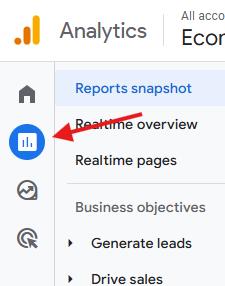
On the left navigation, you'll see a charts icon which is your "Reports" so click on that here:
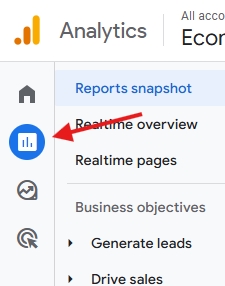
Click on that option above and then continue.
Click the "View User Engagement & Retention" Accordion
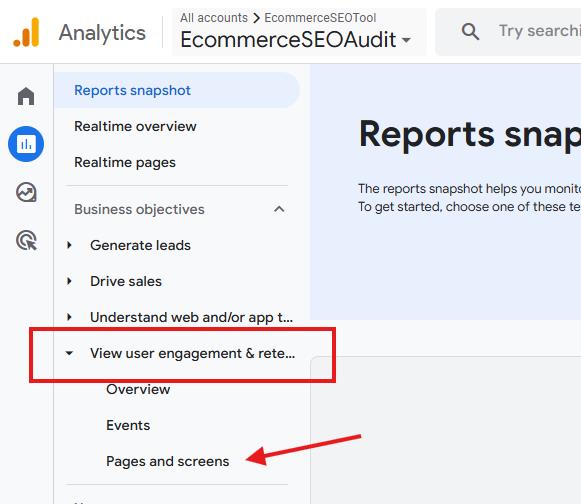
You'll now see a "View User Engagement & Retention" which you'll want to click into and then click the "Pages and screens" option as shown here:
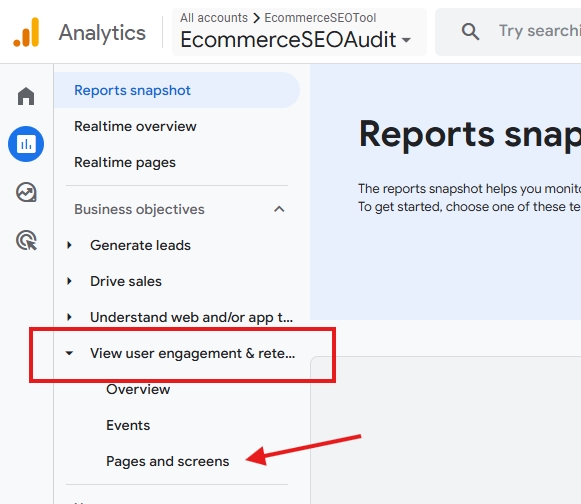
Then, you'll be brought to a table where the information is.
Look at the "Views" Column
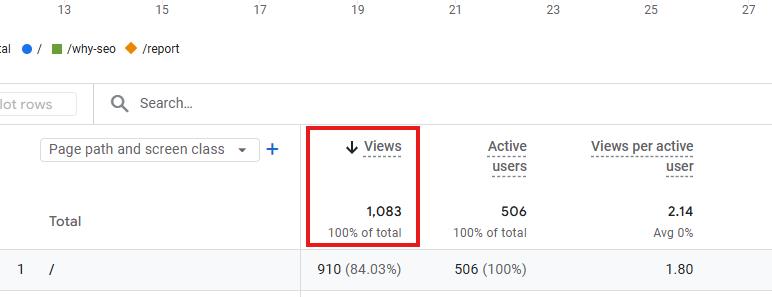
You'll see that there is a "Views" column and right on the top you'll see the total views which is your total pageviews....as seen here:
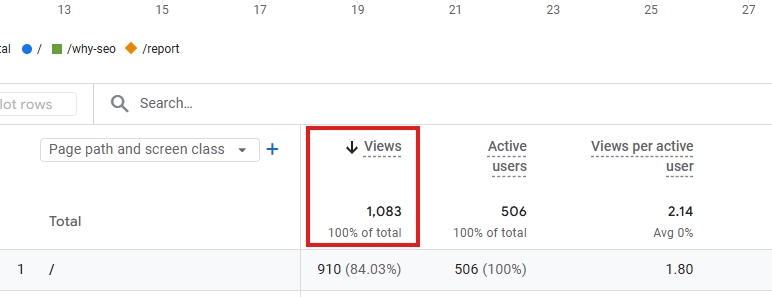
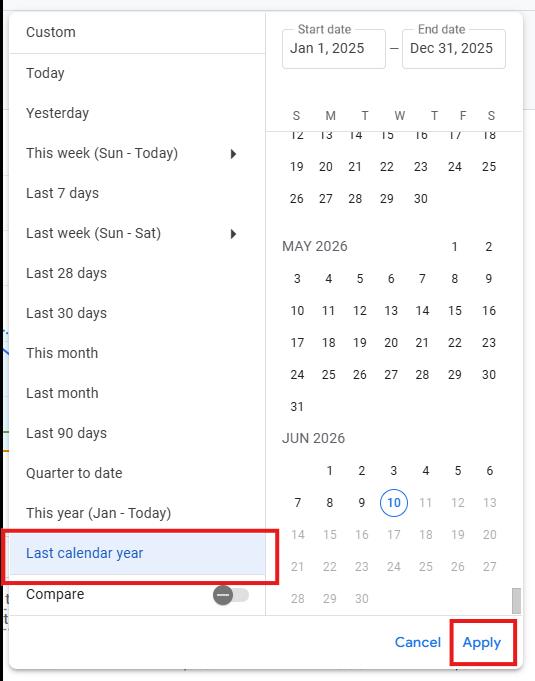
For Answerbase's purposes if you're getting this data to ensure you're going to be on pricing that will give you an effective ROI for your Answerbase account, you'll want to get the report for the last calendar year and let us know what that total is. On the top right of the screen you have the option to select a timeframe, and you should should select the "Last Calendar Year" option and then apply that as shown here:
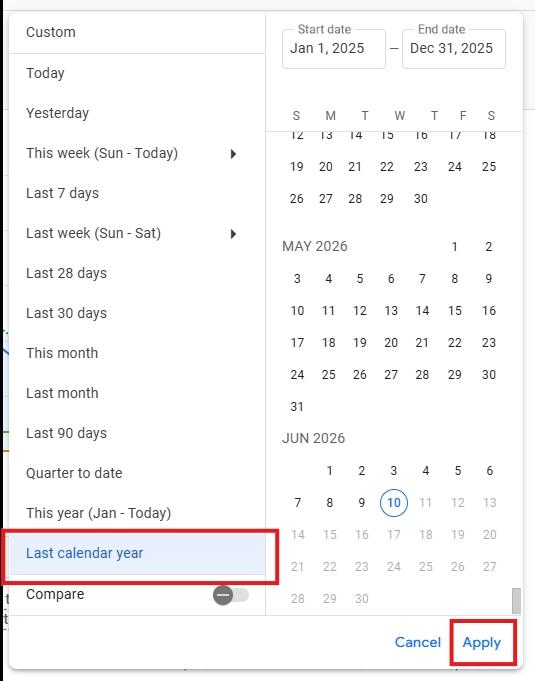
So, just apply that so we can see the total pageviews for a full calendar year...and then report that back to us and we'll make sure you're taken care of.
Go to "Reports"
On the left navigation, you'll see a charts icon which is your "Reports" so click on that here:
Click on that option above and then continue.
Click the "View User Engagement & Retention" Accordion
You'll now see a "View User Engagement & Retention" which you'll want to click into and then click the "Pages and screens" option as shown here:
Then, you'll be brought to a table where the information is.
Look at the "Views" Column
You'll see that there is a "Views" column and right on the top you'll see the total views which is your total pageviews....as seen here:
For Answerbase's purposes if you're getting this data to ensure you're going to be on pricing that will give you an effective ROI for your Answerbase account, you'll want to get the report for the last calendar year and let us know what that total is. On the top right of the screen you have the option to select a timeframe, and you should should select the "Last Calendar Year" option and then apply that as shown here:
So, just apply that so we can see the total pageviews for a full calendar year...and then report that back to us and we'll make sure you're taken care of.
