
Answer
Apr 06, 2021 - 09:05 AM
Answerbase has different levels of user's identifying who they are when they ask a question or manage other actions on the platform. They can post as guests by just giving their email address....or if you'd like...you can enable the ability for them to register for an account an log into that account for any future actions. When users create an official account so they can log in, your moderators have the option to be notified to review each new user that signs up.
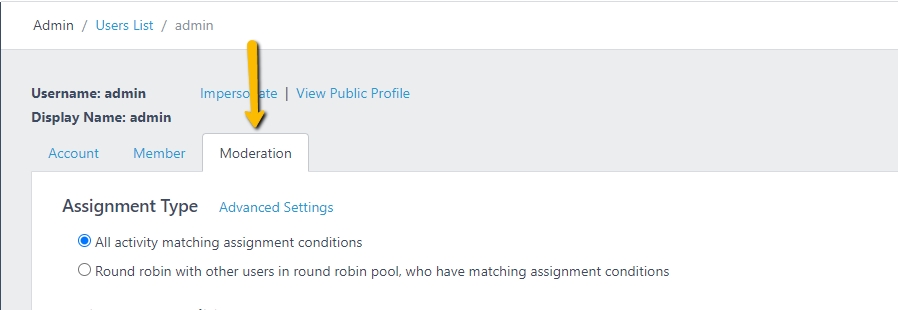
If you're a moderator, you can see your moderation settings by going into the administration site and viewing your user under "Users" within that portal. You'll notice that when you're viewing your account in the admin area as a moderator you have a "Moderation" tab to see your settings:
Towards the bottom of the settings you'll notice the ability to moderate users and receive notifications on new users that have registered through your platform, see here:

If you don't want to receive a notification about every new user who is created while utilizing Answerbase, you can uncheck these options.
It's very common that Answerbase customers not moderate every new user, but rather only moderate the content that is posted. Settings for moderating the content is on that same page.
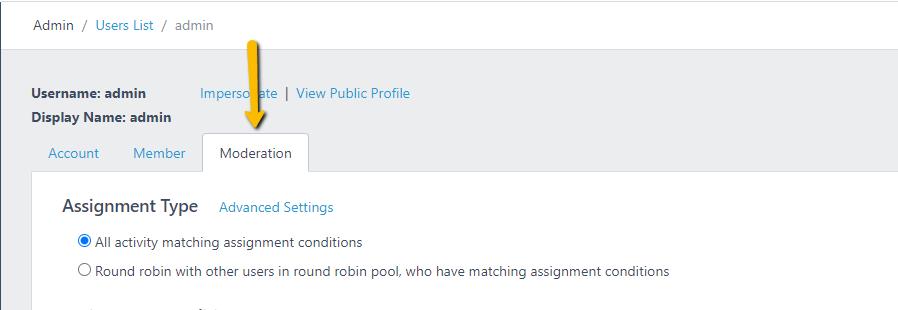
If you're a moderator, you can see your moderation settings by going into the administration site and viewing your user under "Users" within that portal. You'll notice that when you're viewing your account in the admin area as a moderator you have a "Moderation" tab to see your settings:
Towards the bottom of the settings you'll notice the ability to moderate users and receive notifications on new users that have registered through your platform, see here:

If you don't want to receive a notification about every new user who is created while utilizing Answerbase, you can uncheck these options.
It's very common that Answerbase customers not moderate every new user, but rather only moderate the content that is posted. Settings for moderating the content is on that same page.
