
Staff Answer
Aug 19, 2026 - 12:35 PM
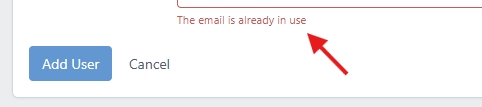
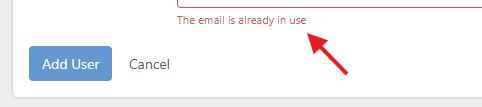
If you get this notification about the fact that the user's email is already being used when trying to add a user:
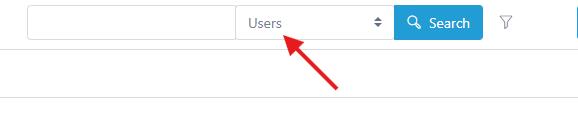
You can take that email address and do a search on the top for users, you'll see it in the top navigation:
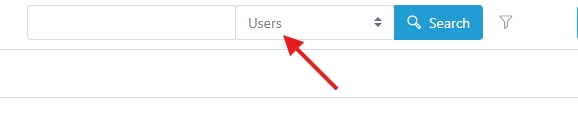
And...once you do, you'll find that user and you can add the appropriate user roles to that user that you'd like.
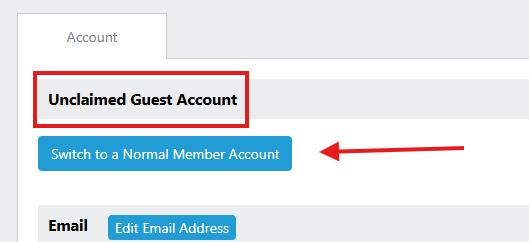
This is common when that email address has asked a question in the past....they will be logged as a unclaimed "guest" account when you look at their profile....so if you want to make them into a real user that can login and act....you can switch them to a Claimed User account as seen here:
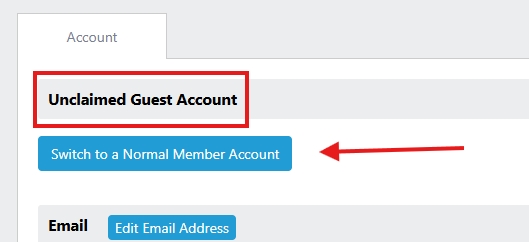
Once you switch that...you'll see an option to add new roles as seen here:

So....you can add whatever roles that you want (read more about user roles here).
You can take that email address and do a search on the top for users, you'll see it in the top navigation:
And...once you do, you'll find that user and you can add the appropriate user roles to that user that you'd like.
This is common when that email address has asked a question in the past....they will be logged as a unclaimed "guest" account when you look at their profile....so if you want to make them into a real user that can login and act....you can switch them to a Claimed User account as seen here:
Once you switch that...you'll see an option to add new roles as seen here:

So....you can add whatever roles that you want (read more about user roles here).
